Skip to content
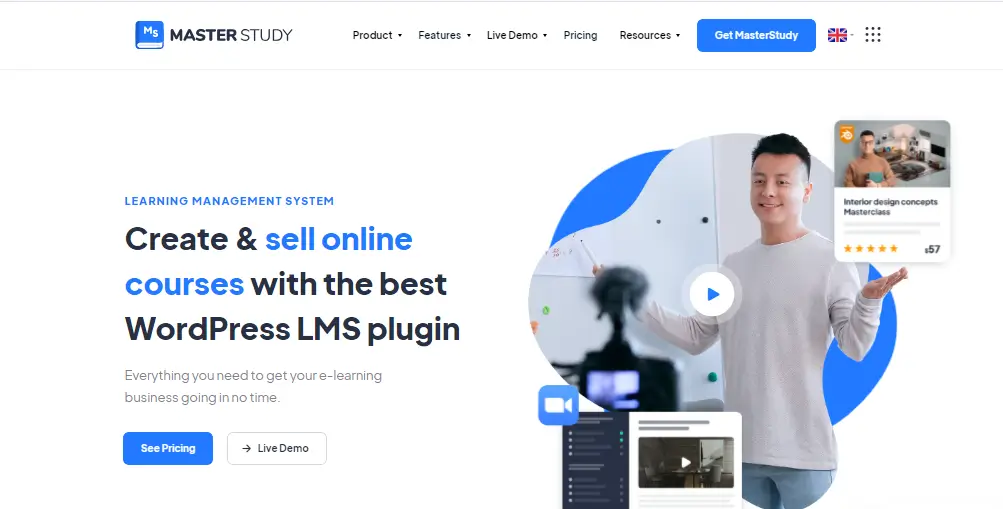
You’ve probably seen MasterStudy LMS mentioned as a popular option for building online courses with WordPress. But choosing the wrong LMS can cost you time, money, and students. In this guide, you’ll get a complete, honest review of MasterStudy LMS—so after reading the review, you can decide which LMS is right for you and why you should choose the MasterStudy LMS plugin
Key Takeaways
- MasterStudy LMS platform: MasterStudy LMS is a WordPress-based learning management system designed to create, manage, and sell online courses.
- Core feature set: Course building, quizzes, payment integration, and student management are included in one platform.
- Flexible pricing model: The plugin offers both free and premium plans with scalable features for growth.
- Ideal user segment: Best suited for small to mid-scale course creators, educators, and agencies.
- Ease of use advantage: Beginner-friendly interface with drag-and-drop course builder functionality.
- Limitations to consider: Performance depends on hosting, and customization options are somewhat limited.
- Integration strength: Works well with WooCommerce and payment tools to monetize courses effectively.
What Is MasterStudy LMS and How Does It Work?
MasterStudy LMS is a WordPress-based learning management system designed to create, manage, and sell online courses. It gives us multiple options to manage and make a better course selling platform
First, it transforms a standard WordPress website into a full-featured eLearning platform. You can build courses, manage students, run quizzes, and accept payments without needing external platforms.
Second, MasterStudy LMS exists as both a plugin and a theme ecosystem. The plugin handles course functionality, while the theme provides design and layout. For example, you can use the plugin with any WordPress theme or pair it with the official MasterStudy theme for a complete LMS setup.
Third, it gives you full ownership of your platform. Unlike SaaS tools such as Teachable, your content, branding, and revenue remain fully under your control.
Quotable insight: MasterStudy LMS combines course creation, student management, and monetization tools into a single WordPress-based platform.
Why MasterStudy LMS Matters for Online Course Creators
MasterStudy LMS matters because it enables educators to build scalable online learning platforms without relying on third-party systems. and it gives the option to connect with, like, Zoom meetings, etc.
First, the eLearning industry is growing rapidly. The global eLearning market is projected to reach $400+ billion by 2026 — Source: Global Market Insights, 2024.
Second, LMS platforms simplify complex workflows. For example, instead of manually managing students and payments, you can automate enrollment, progress tracking, and certification.
Third, WordPress LMS solutions offer unmatched flexibility. By using plugins like MasterStudy, you can customize your platform while keeping costs lower than enterprise LMS tools.
Quotable insight: Choosing an LMS plugin involves evaluating usability, scalability, pricing, and integration capabilities.
For more context, explore [Internal link: “best WordPress LMS plugins” → LMS comparison guide].
What Features Does MasterStudy LMS Offer for Course Creation?
MasterStudy LMS offers features such as course building, quizzes, payment integration, and student management in a single platform.
Course Builder and Content Creation
First, the drag-and-drop course builder allows you to structure lessons easily. You can create modules, reorder content, and update courses without coding.
For example, you can build a course with video lessons, downloadable PDFs, and quizzes in a few clicks.
Quizzes, Assignments, and Certification
Second, the platform includes advanced assessment tools. These include:
- Multiple-choice quizzes
- Essay-based assignments
- File uploads
- Certification generation
This makes it suitable for both academic and professional training.
Payment Integration and Monetization
Third, MasterStudy supports Stripe, PayPal, and WooCommerce integration. This allows:
- One-time course purchases
- Subscription models
- Course bundles
For deeper setup, see [Internal link: “WooCommerce setup guide” → WooCommerce tutorial].
Student Management and Analytics
Next, the LMS includes student dashboards and progress tracking. You can monitor:
- Course completion rates
- Quiz scores
- Engagement metrics
Drip Content and Live Classes
Moreover, you can schedule lessons using drip content. This releases content over time to improve engagement.
In addition, integration with Zoom enables live classes and webinars.
Quotable insight: A complete LMS must support both learning delivery and student engagement features.
How Much Does MasterStudy LMS Cost and Is It Worth It?
MasterStudy LMS pricing includes a free version and premium plans starting around $99 per year.
First, the free version includes core features like course creation, quizzes, and student management.
Second, the Pro version unlocks advanced tools such as:
- Certificates and assignments
- Membership subscriptions
- Analytics and reporting
- Live classes
Third, pricing scales based on usage. Plans can range from single-site licenses to unlimited usage tiers.
However, some estimates suggest total LMS costs can exceed $2,000+ when including setup and customization — Source: ITQlick, 2026.
Quotable insight: MasterStudy LMS offers strong value for money compared to enterprise LMS platforms.
To maximize ROI, read [Internal link: “learn how to monetize online courses” → monetization guide].
What Are the Pros and Cons of MasterStudy LMS?
MasterStudy LMS pros and cons highlight its balance between usability and scalability limitations.
Pros
- Easy-to-use interface and course builder
- Free version with strong features
- Built-in monetization tools
- Mobile-responsive design
- AI-powered content creation
Cons
- Performance depends on hosting quality
- Advanced features locked behind Pro
- Limited deep customization options
For example, large-scale platforms with thousands of users may need additional optimization.
Quotable insight: Ease of use is MasterStudy LMS’s strongest competitive advantage.
How Does MasterStudy LMS Compare to LearnDash and Tutor LMS?
MasterStudy LMS compares competitively with LearnDash and Tutor LMS in pricing, usability, and features.
| Feature | MasterStudy LMS | LearnDash | Tutor LMS |
|---|---|---|---|
| Ease of Use | Beginner-friendly | Moderate | Beginner-friendly |
| Pricing | Lower cost | Higher | Mid-range |
| Features | All-in-one | Advanced | Balanced |
| Customization | Limited | High | Moderate |
First, MasterStudy is ideal for beginners due to its intuitive interface.
Second, LearnDash is better for advanced users needing deep customization.
Third, Tutor LMS offers a balance between simplicity and flexibility.
Quotable insight: MasterStudy LMS is best suited for small to medium-sized eLearning platforms and individual course creators.
Can You Make Money with MasterStudy LMS?
You can make money with MasterStudy LMS by selling courses, memberships, and subscriptions.
First, you can sell individual courses with one-time payments.
Second, you can create subscription-based learning platforms.
Third, integration with WooCommerce enables advanced monetization strategies.
For example, you can bundle multiple courses and offer discounts or memberships.
To improve revenue, explore [Internal link: “course marketing strategies” → marketing guide].
Is MasterStudy LMS Suitable for large e-learning platforms?
MasterStudy LMS is suitable for small to mid-sized platforms but may require optimization for large-scale deployments.
First, performance depends heavily on hosting and server configuration.
Second, large platforms may need caching, CDN, and database optimization.
For example, a site with 10,000+ users may experience slower performance without optimization.
To fix this, read [Internal link: “improve website speed for LMS platforms” → speed optimization guide].
How Easy Is It to Set Up MasterStudy LMS on WordPress?
Setting up MasterStudy LMS on WordPress involves installing the plugin, configuring settings, and creating your first course.
Step-by-Step Setup
- Install the plugin from the WordPress dashboard
- Configure LMS settings
- Set up payment gateways
- Create your first course
- Publish and enroll students
For beginners, follow [Internal link: “step-by-step WordPress installation guide” → beginner guide].
Quotable insight: An effective LMS setup involves installing the plugin, configuring payment gateways, and structuring course content logically.
Tools, Integrations, and Practical Examples
MasterStudy LMS integrates with tools like WooCommerce, Zoom, and membership plugins to extend functionality.
First, WooCommerce enables full eCommerce functionality.
Second, Zoom integration allows live classes.
Third, email tools help automate communication.
For example, you can connect email tools for automation via [Internal link: “email marketing for course creators” → email marketing guide].

What’s Next: How to Get Started with MasterStudy LMS
Getting started with MasterStudy LMS involves planning your course structure and launching your first product.
First, define your course topic and audience.
Second, build structured lessons with clear outcomes.
Check out for making a site with tutor LMS
For example, adding SEO-optimized course pages can increase organic traffic significantly.
Conclusion
MasterStudy LMS is a powerful, beginner-friendly WordPress LMS plugin that balances features, affordability, and usability.
First, it delivers strong value with its free and Pro versions.
Second, it simplifies course creation and monetization for non-technical users.
Third, it works best for small to medium-scale platforms rather than enterprise-level systems.
If you want a flexible, cost-effective way to build an online course platform, MasterStudy LMS is absolutely worth testing.
MasterStudy is a free WordPress LMS plugin for an online learning business. The WordPress LMS plugin turns any regular WP website into an online school with all the necessary eLearning & LMS features. This WordPress LMS plugin offers extensive tools for creating, managing, and selling courses online. As a top LMS plugin for e-learning, it supports multimedia lessons, quizzes, and student progress tracking; it’s an ideal choice for educators and institutions.
MasterStudy is the best free Learning Management System WordPress plugin for online coaching, instructors, trainers, tutors, schools, colleges, marketplaces and any type of