Skip to content
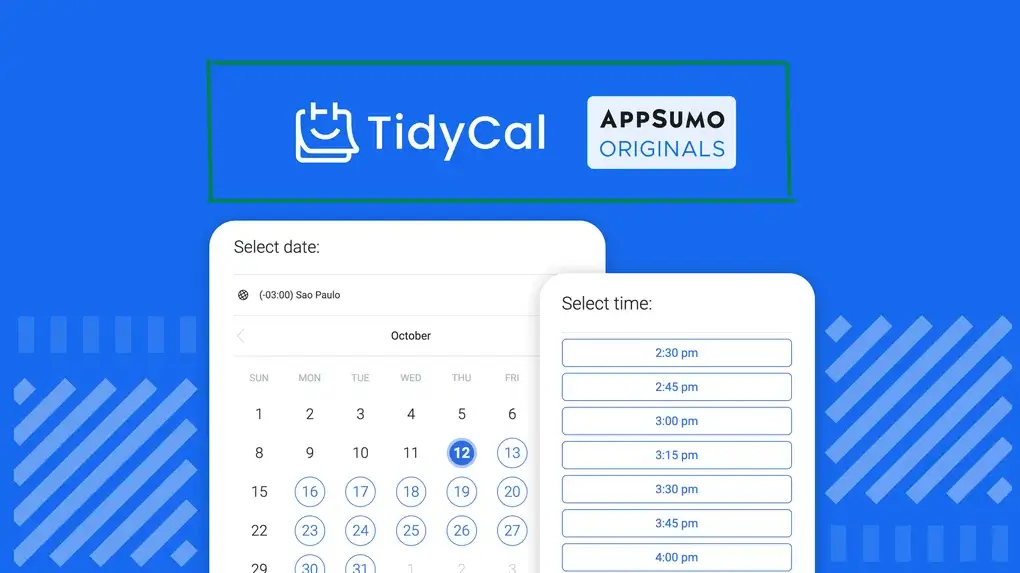
You’ve probably seen TidyCal pop up on AppSumo or heard someone in a freelancer community mention it as the best Calendly alternative tool. But most reviews you’ll find either read like a feature dump or a thinly veiled affiliate pitch — neither of which tells you whether it’ll actually work for your specific setup. In this review, In this article, I will try to share my experience with TidyCal does well, where it genuinely falls short, and whether the lifetime deal is worth it for your workflow
Key Takeaways
- TidyCal is a scheduling tool from the AppSumo team provide lifetime deals as an affordable alternative to subscription-based tools like Calendly.
- Core features include unlimited booking pages, Google/Outlook calendar sync, group bookings, and Stripe-powered paid appointments -its provide option to connect with multiple platforms.
What Is TidyCal?
TidyCal is a lightweight time scheduling tool developed by the David Kelly team that allows individuals and small businesses to create booking pages and accept appointments with a one-time payment. It sits in the same category as Calendly, Acuity Scheduling, and SavvyCal —these tools provide the same feature like other have, and its very advanced tools for making meeting bookings
If you’re unfamiliar with what a scheduling tool is and how they work, the core idea is simple: you set your availability, and clients or prospects book from your open slots. No more “are you free Tuesday?” email chains.
Tidaycal is built for a large team that wants to manage their time fully, maintain, and it’s a very good option for them.

Why TidyCal Matters
Tidycal matter because it’s very easy to maintain and provide a lifetime deal, so it’s very cheap and friendly. Calendly’s paid plans start at $10/month per user, and Acuity Scheduling starts at $16/month. For a freelancer earning project income, those fees add up to $120–$192 per year just to let clients book a call.
Consider this: 73% of small business owners report that SaaS subscription costs have become a significant operational concern — Source: Clutch SMB Survey, 2023. That context matters when evaluating tools like TidyCal.
Moreover, most solo operators don’t use 80% of what Calendly’s paid tier offers. They need a booking link, a calendar sync, maybe a way to take payment — and that’s it. TidyCal delivers exactly that. By choosing a one-time payment tool over a subscription, freelancers can eliminate a recurring cost entirely while retaining the core functionality they actually use day to day.
TidyCal Lifetime Deal Still Available?
TidyCal’s pricing is defined by its lifetime deal model, which sets it apart from every major scheduling competitor on the market. Rather than charging monthly, TidyCal offers a one-time purchase that gives you permanent access — no renewals, no price hikes.
TidyCal Pricing 2026
Here’s a breakdown of what’s currently available:
| Plan | Price | Booking Pages | Paid Bookings | Team Members |
|---|---|---|---|---|
| Free | $0 | 1 | ❌ | ❌ |
| Personal (Lifetime) | ~$29 (one-time) | Unlimited | ✅ | ❌ |
| Business (Lifetime) | ~$79 (one-time) | Unlimited | ✅ | ✅ (up to 5) |
Note: Pricing through AppSumo has varied. Always check the AppSumo TidyCal page directly for current availability and deal tiers.
TidyCal’s lifetime deal pricing model distinguishes it from competitors like Calendly and Acuity Scheduling, which charge monthly fees ranging from $8 to $16 per user at a minimum. Over two years, even the $29 personal lifetime deal pays for itself compared to Calendly’s free tier limitations — and pays for itself in under three months compared to Calendly’s standard plan.
For anyone researching AppSumo lifetime deals worth buying, TidyCal consistently ranks among the most practical, because the use case is universal and the tool does exactly what it promises.
TidyCal Features
TidyCal includes all the core scheduling features that individual users and small teams need, delivered through a clean interface without feature bloat. its provide more advance feature then others
✏️ Customize Your Booking Page
Make your booking page look like you. Add your photo, brand colors, and a short description so clients know exactly what they’re booking. Your link stays clean and professional: tidycal.com/yourname/meeting-type — easy to share anywhere. And you can maintain the page easily
📅 Create Unlimited Booking Events
One tool for every meeting type. Create separate booking links for discovery calls, paid consultations, group sessions, or workshops — each with its own duration, questions, and settings. You can make an unlimited of links to share with people
Need to find a time that works for a group? Date polls let everyone vote on their preferred slot. TidyCal picks the winner and schedules it automatically. No more back-and-forth emails.
🔗 Connect Your Calendar
Link your Google, Outlook, or iCal calendar and TidyCal handles the rest. It reads your existing events, blocks off busy times, and writes new bookings straight to your calendar. Connect up to 10 calendars — zero chance of double-booking. One of the most good thing is you can connect with multiple booking tools that provide you more flexibility
💳 Charge for Your Sessions
Take payment before the meeting — no chasing invoices. Connect Stripe or PayPal, set your price, and clients pay at the time of booking. You can also create discount codes or set up recurring subscription packages for clients who book with you regularly.
Integrations TidyCal Support
TidyCal integrates with Google Calendar, Microsoft Outlook, and iCal, covering the three most widely used personal and professional calendar platforms. Each integration is set up through OAuth authorization, meaning you connect once and TidyCal handles the rest.
First, Google Calendar is the most common integration and works seamlessly. Busy blocks from your Google Calendar automatically prevent double-bookings. Second, Outlook integration functions identically for Microsoft ecosystem users. Third, iCal allows anyone using Apple Calendar or any iCal-compatible platform to sync.
Tidycal vs Calendly
TidyCal and Calendly serve the same core use case — appointment scheduling — but differ significantly in pricing model, feature depth, and target user profile. Here’s an honest breakdown.
Pricing
Calendly’s free plan limits you to one active event type. Their paid plans start at $10/user/month. TidyCal’s lifetime deal starts at approximately $29 one-time. Over a 12-month period, a Calendly standard plan costs $120 per user — compared to TidyCal’s one-time ~$29 fee. The math is simple for budget-conscious users.
Features
Calendly offers deeper automation: automatic Zoom/Meet link generation, HubSpot and Salesforce integrations, team scheduling, round-robin booking, and more. TidyCal does not match Calendly’s integration library. If you need Salesforce syncing or complex team routing, Calendly (or its alternatives) are the better fit.
User Experience
Both tools are beginner-friendly. Calendly’s interface is more polished and feature-rich; TidyCal’s is simpler and faster to navigate. For users who want to get up and running in minutes without exploring menus, TidyCal wins on simplicity.
For a full breakdown, see our list of best Calendly alternatives — TidyCal is one of several solid options depending on your needs.
| Dimension | TidyCal | Calendly |
|---|---|---|
| Pricing | ~$29 one-time | $10+/month |
| Booking pages | Unlimited | 1 (free), unlimited (paid) |
| Stripe payments | ✅ | ✅ (paid only) |
| Zoom auto-link | Partial | ✅ (paid) |
| CRM integrations | Limited | Extensive |
| Team scheduling | Basic | Advanced |
| Learning curve | Very low | Low–medium |
TidyCal Pros and Cons
TidyCal’s core strengths are its pricing, simplicity, and core feature set; its weaknesses are integration depth and team-level functionality. Here’s the honest breakdown:
✅ Pros
- Unbeatable price — At $29 one-time, multiple users called it a “no-brainer.” Hard to argue with lifetime access for less than two months of Calendly.
- Clean and simple — No clutter, no steep learning curve. It does what it’s supposed to do without overwhelming you.
- Great for solo users — If you’re booking client calls on your own, it works smoothly and reliably for most use cases.
❌ Cons
- Reliability issues popping up — One user noticed booking links randomly stop working, and saving changes sometimes fails. Not a dealbreaker for everyone, but frustrating when your whole business runs on people being able to book you.
- Agency Plan is misleading — Many users assume it includes multiple user licenses for their team. It doesn’t — each team member still needs their own separate account at $29 each. The value of the Agency Plan versus just buying individual plans isn’t immediately clear.
- Clunky team setup — Even after purchasing, understanding how the Agency Plan actually works required reaching out to support. The onboarding for teams needs to be clearer upfront.
Bottom line from real users: TidyCal is excellent for individuals. For teams, read the plan details carefully before buying — the pricing structure isn’t what most people expect
Who Should NOT Use TidyCal?
TidyCal is best suited for solopreneurs, freelancers, and small teams who need reliable scheduling without complex automation; users requiring advanced CRM integrations or team-level workflows may find the tool limiting. Let’s be specific about who will outgrow it.
You should skip TidyCal if you need automatic CRM lead capture (HubSpot, Salesforce, Pipedrive) without using Zapier as a bridge. You should also look elsewhere if your business runs on round-robin team scheduling or collective scheduling across multiple calendars. Additionally, if a fully branded, white-label booking experience is important to your client relationships, TidyCal’s limited customization will frustrate you.
For those users, tools like Calendly, SavvyCal, or Acuity Scheduling are worth the monthly fee. But for everyone else — and that’s a large group — TidyCal covers the basics exceptionally well.
What people say About TidyCal?
TidyCal has a strong reputation — especially among solo users and freelancers. Here’s the honest picture from real buyers:
Most people love it. The setup is fast, the interface is clean, and the one-time price makes it an easy yes. For individual use, it rarely disappoints.
A few reliability concerns. Some users have reported booking links going down and changes failing to save — frustrating when your whole workflow depends on clients being able to book you. The team is aware and working on it.
The Agency Plan confuses people. Many buyers assume it covers their whole team under one license. It doesn’t — each member needs their own $29 account. Not a dealbreaker, but worth knowing upfront.
Support is responsive. The TidyCal team replies to criticism publicly and takes it seriously. That’s a good sign for long-term reliability.
Is TidyCal Worth Buying on AppSumo?
For freelancers, coaches, consultants, and solopreneurs who need reliable scheduling without enterprise complexity, TidyCal’s lifetime deal is one of the most straightforward value propositions on AppSumo. The math works: you pay once, you stop thinking about it, and it does its job.
The question isn’t really “is TidyCal good?” — it clearly is, for its target user. The question is whether you’re in that target user group. If you currently pay for Calendly’s standard plan and don’t use the CRM integrations or advanced team features, switching to TidyCal’s lifetime deal will save you money immediately with no meaningful functionality loss.
For anyone evaluating SaaS tools with one-time pricing, TidyCal is a textbook example of the category done right: focused scope, fair pricing, and reliable execution.
[Insert image: AppSumo TidyCal listing with ratings visible | Alt text: “TidyCal AppSumo lifetime deal page and user ratings”]
How to Get Started with TidyCal
If TidyCal fits your workflow, the fastest path to value is connecting your calendar, creating one booking type, and sharing the link with your next client or prospect. Here’s a practical starting sequence:
- Visit TidyCal.com or the AppSumo TidyCal listing and choose your plan (free to test, lifetime to commit).
- Connect your calendar — Google Calendar takes under two minutes via OAuth.
- Create your first booking type — start with your most common meeting (30-minute call, discovery session, etc.).
- Set availability rules — define your working hours and buffer time between meetings.
- Enable Stripe payments (if applicable) — connect your account and set your rate.
- Share or embed your booking link — add it to your email signature, website, or social profiles.
That’s genuinely it for most users. For a deeper walkthrough of freelancer productivity tools that work well alongside TidyCal, including CRM options and note-taking tools, see our full solopreneur stack guide.
Conclusion
TidyCal is not a perfect scheduling tool — but it’s a very good one for the right user. It delivers the core functionality that freelancers, coaches, and solopreneurs actually need: clean booking pages, reliable calendar sync, paid bookings via Stripe, and a one-time price that eliminates subscription fatigue entirely.
The lifetime deal model is TidyCal’s defining feature, and for anyone who’s paid $10–$16/month for a scheduling tool they use for basic bookings, the math makes the decision easy. If you need deep CRM integrations, automatic video conferencing links, or advanced team routing, look at Calendly or Acuity. But if you need scheduling that works, costs you once, and stays out of your way — TidyCal earns a clear recommendation.
Our Rating: 4.4 / 5 — Excellent value for its target user; minor deductions for limited integrations and customization.
want to buy